
Garrisonbet Casino Mobile & App Access
















What mobile limits at Garrisonbet Casino you need to know first
Before you load Garrisonbet Casino on your phone, understand that the mobile experience compresses every element of the desktop site onto a screen roughly a sixth of the size. Menus that span a widescreen monitor collapse into hamburger icons, game thumbnails shrink to postage-stamp dimensions, and navigation requires more taps to reach the same destination. The operator builds its platform to function on smaller screens, but "function" and "comfortable" are not synonyms. Slots adapt better than table games — a single reel set scales down more gracefully than a blackjack layout with chip denominations and side-bet buttons.
Verification paperwork becomes harder on a device with no file browser and a camera that struggles in poor light. Uploading a utility bill from your photo library works; photographing your passport under a desk lamp often does not. The €2,000 aggregate deposit threshold triggers KYC whether you are on desktop or mobile, and the 14-day deadline to submit documents runs from the moment of the request regardless of which device received it.
Live dealer streams consume data at a pace few mobile tariffs absorb without complaint. An hour of Evolution blackjack can burn through 400–600 MB; a monthly cap of 5 GB empties in ten sessions. Wi-Fi masks the problem until you step outside, then the stream stutters or the connection drops mid-shoe and the bet settles without you.
How mobile access actually works at Garrisonbet Casino
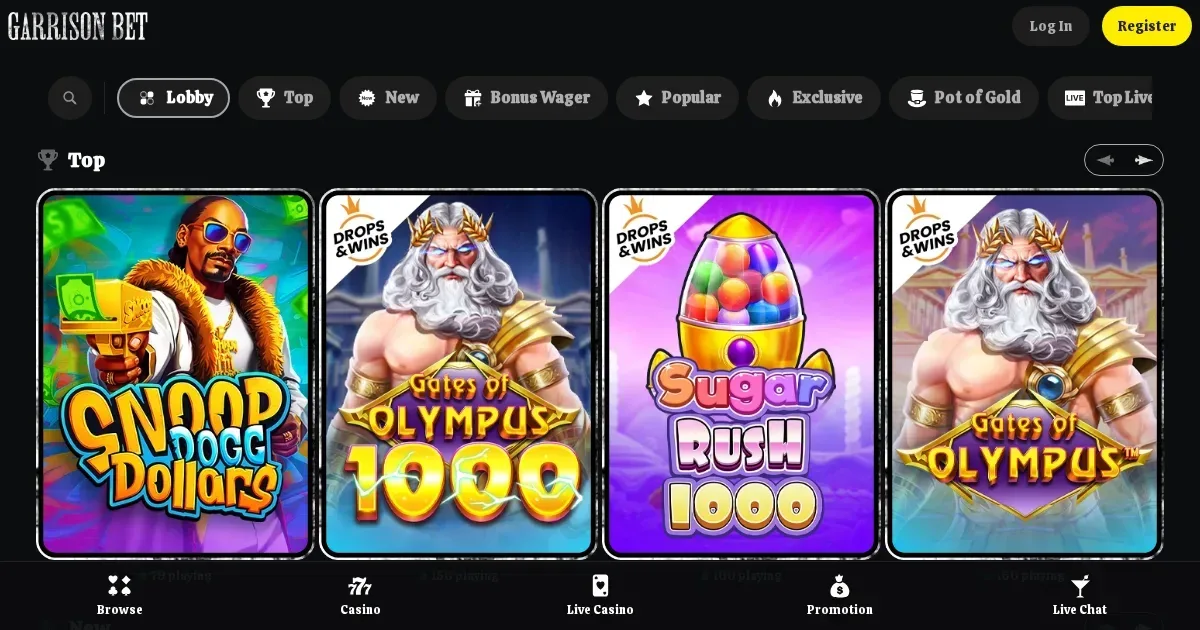
Garrisonbet Casino runs entirely in a mobile browser — Safari on iOS, Chrome or Samsung Internet on Android. No application exists in the App Store or Google Play; the platform you reach by typing the operator's domain into your phone is the same one the operator serves to every other device, redrawn to fit. The catalogue, the cashier, customer support and your account dashboard all load through the browser, with no installation step and no separate login.
What this means in practice: you bookmark the site or save it to your home screen as a shortcut, and tapping that icon opens the casino in a browser tab rather than launching a standalone app. Functionality-wise the two approaches converge — the site remembers your session, pre-fills your username, and pushes you straight to the lobby — but the browser chrome (address bar, back button, tab switcher) remains visible unless you add the shortcut and the operator's manifest file hides it, which not all mobile sites bother to do.
The advantage is immediacy: no app-store approval wait, no update prompts, no version fragmentation. Every player sees the same build the moment the operator deploys it. The cost is discoverability — you will not find Garrisonbet Casino by searching the App Store, and players conditioned to expect a native application may assume the brand does not support mobile at all.
The cashier and support channels on a phone
Deposits work identically on mobile and desktop. The payment methods BRAND DATA confirms — bank account, bank cards and e-wallets — all load through the same processor integration, and the forms accept the same inputs. The minimum varies by method and appears when you select it; the same applies to maximums. What changes is the keyboard: entering a 16-digit card number on a touchscreen invites typos, and some mobile browsers autofill card details while others do not, leaving you to type every digit by hand.
Withdrawals face the same three-business-day processing window regardless of the device that submitted the request. The operator states applicable daily, weekly and monthly limits in separate policies published on the site; VIP-level exceptions may apply, but BRAND DATA gives no figures for either the standard caps or the exceptions. If your winnings exceed the monthly ceiling, the payout arrives in instalments — and tracking those across a phone's smaller transaction-history table asks more scrolling than the desktop equivalent does.
Customer support reaches you by email at the address BRAND DATA records, and the site footer lists web chat as a second channel. Neither requires desktop access, though typing a detailed explanation of a payment dispute on a phone keyboard tests patience in a way a physical keyboard does not. Response times are not published, so expect the same variability mobile or otherwise.
Day-to-day play on a small screen
Slot titles dominate the mobile catalogue because they require the least adaptation. A five-reel grid, a spin button and a balance counter fit a portrait-mode screen without radical redesign; providers have been building for mobile-first since 2015. Landscape orientation adds breathing room but forces you to hold the device two-handed, which tires faster than propping a phone upright on a table.
Roulette shrinks the wheel and the betting grid until the neighbour bets become a tap-precision exercise. Blackjack condenses the layout but leaves the action legible; baccarat fares similarly. Game shows — the category BRAND DATA names — stream well on a stable connection and collapse into buffering grief on a weak one. Fishing games, another listed category, rely on quick taps and drag gestures that touch screens handle natively, making them one of the few genres where mobile holds an edge over a mouse.
The lobby filters work, but scrolling through 293 "currently playing" counters (the data dump's structure, not a game count) to find a specific title grows tedious quickly. Search helps when the operator provides it; BRAND DATA does not confirm whether this one does. Favourites lists and recent-play histories solve the problem for regulars but do nothing for a first-time visitor trying to orient themselves.
| Activity | Mobile experience |
|---|---|
| Slots | Smooth; portrait or landscape both work |
| Live dealer | High data use; stream quality depends on connection |
| Table games | Playable but cramped; betting grids require precision |
| Cashier | Fully functional; keyboard input slower than desktop |
| KYC upload | Awkward; document photography often suboptimal |
| Support | Email and web chat both accessible |
What gets cramped or goes missing
Bonus terms, withdrawal policies and game-contribution tables bury themselves deeper in the mobile navigation than on desktop. A footer link that sits one click away on a widescreen monitor may require opening a menu, tapping "More," scrolling past promotional banners, then selecting the correct subheading. The three-times deposit wagering rule and the €10 dormancy fee apply identically on mobile, but finding the paragraphs that explain them takes longer.
Tournaments — BRAND DATA lists eight of them, from Peaky Tournament to Drops Frenzy Fest — display leaderboards that desktop users scan at a glance. On a phone those tables either wrap awkwardly or require horizontal scrolling, and tracking your own rank among dozens of entries means zooming, panning or giving up and checking later from a laptop.
Multi-tabling is effectively impossible. Desktop regulars accustomed to running two or three slots simultaneously will find mobile browsers either stack the tabs (forcing constant switching) or slow to a crawl when multiple WebGL canvases run at once. Battery drain compounds the issue: an hour of continuous play with the screen at full brightness empties most phones to 40–50% charge, less if the device is old or the connection is poor.
Staying in control on a device you always carry
A phone sits in your pocket 16 hours a day, making impulsive access far easier than walking to a desk and opening a laptop. The operator provides voluntary self-exclusion and stake limits as responsible-gambling tools, and both apply across devices — but setting them from a mobile browser requires the same navigation depth as reading the terms, which is to say more taps than most people will bother with in a moment of temptation.
Session limits — the kind that lock you out after a set duration — are not mentioned in BRAND DATA's responsible-gambling section. Deposit caps exist, adjustable at any time though changes take 24 hours to take effect. If you set a €50 daily deposit ceiling on Tuesday afternoon, you cannot raise it until Wednesday afternoon, and that delay holds whether you are on mobile or desktop.
Parental controls matter more on a shared device. A phone handed to a child for a game or a video is a phone with casino bookmarks still in the browser. Software such as Net Nanny or Qustodio blocks gambling domains at the OS level, and setting that up takes 15 minutes now versus explaining a slip later. Minimum age is 18 everywhere — the operator states it, UK law requires it, and a device shared within a household needs active protection rather than a promise that nobody will click the wrong bookmark.
Practical steps before you play on mobile
- Check your data allowance if you plan to play over 4G or 5G — live dealer streams and high-definition slots consume more than you expect.
- Register and verify from a desktop where document uploads and form-filling are less fiddly; the account works identically once you switch to mobile.
- Set deposit and stake limits from the outset, before the device's portability turns every spare moment into a potential session.
- Bookmark the operator's support email and save it somewhere accessible — typing [email protected] from memory on a phone keyboard is an error waiting to happen.
- Test the cashier flow with a minimum deposit first to confirm your payment method works on mobile before committing a larger amount.
Responsible gambling on mobile
Gambling is entertainment, not an obligation, and a phone that makes access effortless also makes excess easier. The National Gambling Helpline operates 24/7 on 0808 8020 133 — free, confidential, and reachable from the same device you would use to play. BeGambleAware (begambleaware.org) offers tools and self-assessment resources, and GamStop (gamstop.co.uk) provides free national self-exclusion across licensed operators if you need distance rather than limits.
Blocking software such as Gamban (gamban.com) and BetBlocker (betblocker.org) work at the device level, preventing access even when willpower falters. If gambling stops feeling like entertainment, help exists — and it is never more than a call or a click away. You must be 18 or over (18+) to access this content.
This page is provided for information and marketing purposes only. We are not a casino operator, a bookmaker or an organiser of gambling. Access is restricted to persons aged 18 and over (18+). Free, confidential support with gambling is available through BeGambleAware.org.
Game Providers